Build 410: inventory scrolling and panel hints
The September 24 patch separates scrolling over the cutting-room inventory from rotating pattern panels. Move the pointer back to the work area when checking placement; do not diagnose a changed scroll response as a broken pattern.
At the fitting stage, hover over an inventory panel for a placement hint. A hint identifies where an available piece belongs; it does not prove that an uncut or missing piece has been recovered.
Section sources: Official documentation
A deliberate cutting-table routine
- Choose the fabric intended for the current panel and inspect its pattern or gradient.
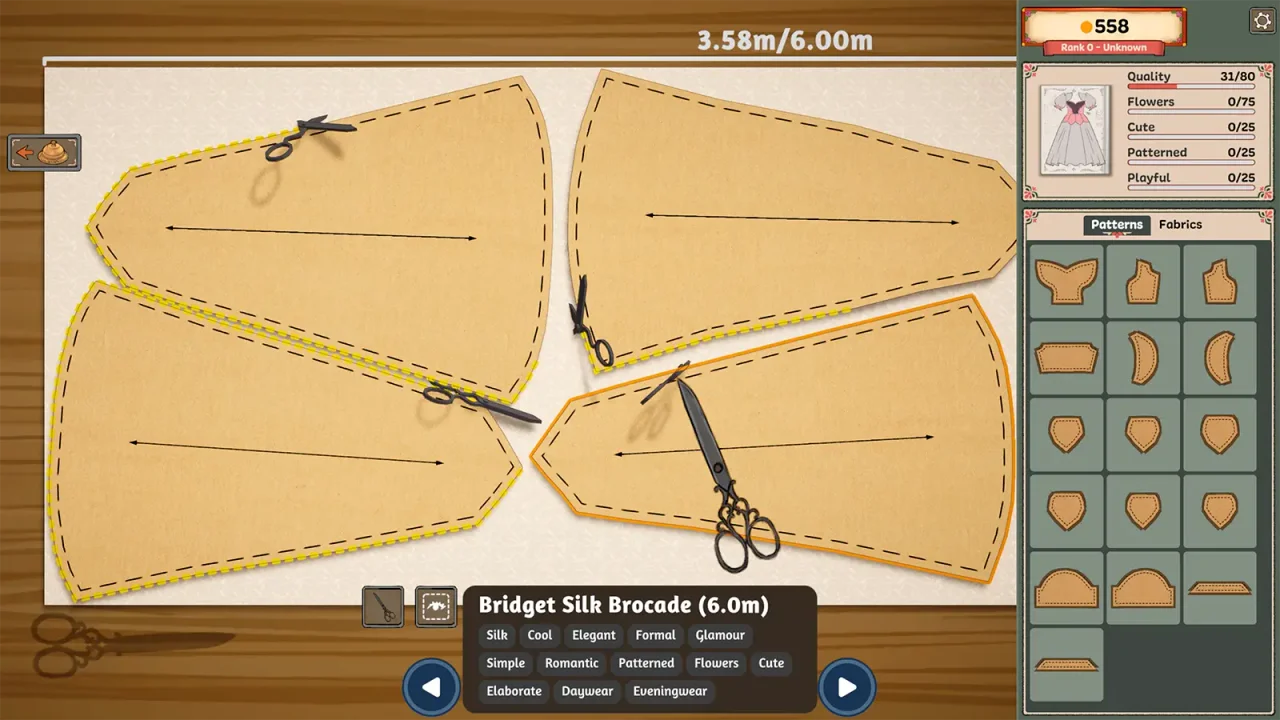
- Rotate and position the paper pieces while checking the grain indicator and the visual direction of the print.
- Arrange neighbouring pieces together where practical; do not sacrifice the intended orientation just to pack them tightly.
- Finish cutting and collecting the pieces before opening a different roll.
- Compare the pieces available at the mannequin with the full set you planned.
Grain and print direction are different checks
Steam explicitly says that grain or bias placement carries through to the final garment. A print can also face a direction you did not intend: players have reported mismatched gradients between panels. Inspect both the construction indicator and the picture on the cloth.
A useful planning habit is to compare the front-facing panels before committing. Stripes that work individually may look discontinuous across a seam. If visual continuity matters to your design, put the pieces next to one another on the cutting table and compare them as a set.
Do not switch rolls mid-cut
A September 24 Steam report describes scissors continuing on the newly selected fabric when a roll is changed during automatic cutting or collection. Until that behaviour is clarified, waiting for the current operation to finish is a low-cost precaution. This report is not an official diagnosis of every cutting problem.
A cut piece is missing at the next station
First check that every piece was actually cut. In the submission discussion, one player had simply missed a piece, while others said that saving, quitting and returning made already-cut pieces available again. Try the normal piece check before the reload workaround.
Build 403 also addresses an invisible mouse cursor in the cutting tutorial. Update through Steam before repeating that tutorial. If the problem continues, include the exact pattern, station and installed build in a bug report.
Quality shortfall: inspect the arrow as well as the print
Players discussing grain recommend checking the marker on each pattern piece before cutting. A separate gradient discussion reports a conflict between print continuity and grain quality. Do not treat visual alignment alone as proof of full quality.
The quality troubleshooting guide compares these cases with sewing shortfalls and explains a one-change inspection routine. Check the cost and remaining cloth before recutting.
Section sources: Community topic · Community topic
Sources & further reading
- Dressmaker on Steam ↗
- Steam discussion — pattern orientation ↗
- Steam discussion — switching fabric during cutting ↗
- Steam discussion — unable to submit a commission ↗
- Cozy Lives — Our First Patch Is Live! Build 403 ↗
- Cozy Lives — official announcements, including Build 410 (September 24) ↗
- Steam discussion — Cutting on grain (pattern-arrow replies) ↗
- Steam discussion — Gradient Fabrics and Grain Direction (mixed player results) ↗
Guide reviewed . Community tips are not official repair guarantees. Suggest a correction.