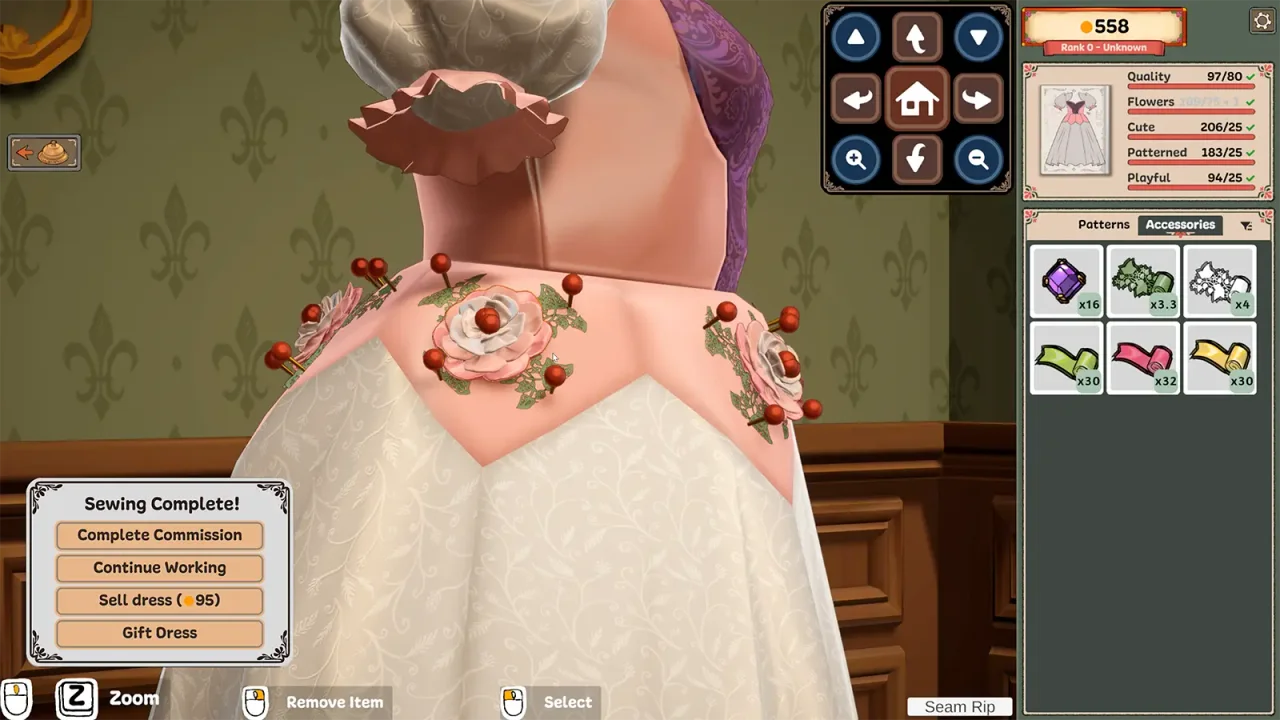
Start with one short section
Choose a small, easy-to-see part of the garment before running lace around a whole hem. Use it to judge orientation and spacing. Rotate the view to inspect the trim from more than one angle, then continue only when the first section looks right.
Buttons, bows, appliqué and lace are part of the official decoration system. Use the commission brief to distinguish a mandatory accessory from an optional finishing touch.
Community placement tips
- If lace appears upside down, try placing it in the opposite dragging direction. Several players describe this changing which way it faces.
- Select the placed trim and look for the size and angle controls in the upper-right area, as described in the Steam discussion.
- Zoom close to the trim before trying to remove a small section. Players report that selecting it can be finicky.
- Check the garment from another angle before adding another layer to cover a placement error.
Lace on the dress but the brief disagrees?
The first official patch fixes some lace-trim items that were not tagged as lace. That makes updating a relevant first step for this particular symptom. It does not mean every decoration issue was fixed in Build 403.
After updating, compare the accessory’s in-game category with what the request actually asks for. A lace fabric and a lace trim are different purchases, so do not assume a fabric’s appearance alone satisfies an accessory requirement.
Leave large decoration challenges for a separate design
Steam lists optional challenges involving more than 50 metres of trim and more than 300 accessories on one dress. Keep those experiments separate from a tight-budget customer request. The achievement tracker preserves your checklist locally while you work.
Sources & further reading
- Dressmaker on Steam ↗
- Steam — global achievement list ↗
- Cozy Lives — Our First Patch Is Live! Build 403 ↗
- Steam discussion — placing lace ↗
Reviewed September 24, 2026. Suggest a correction.