Manual requirement checker
Copy a rule from the current commission. This checks your numbers, not your save or the game’s acceptance decision.
Use the same units in both value fields. Enter 0–1,000,000 with a decimal point and up to four decimal places. Entries are not saved; reloading clears them.
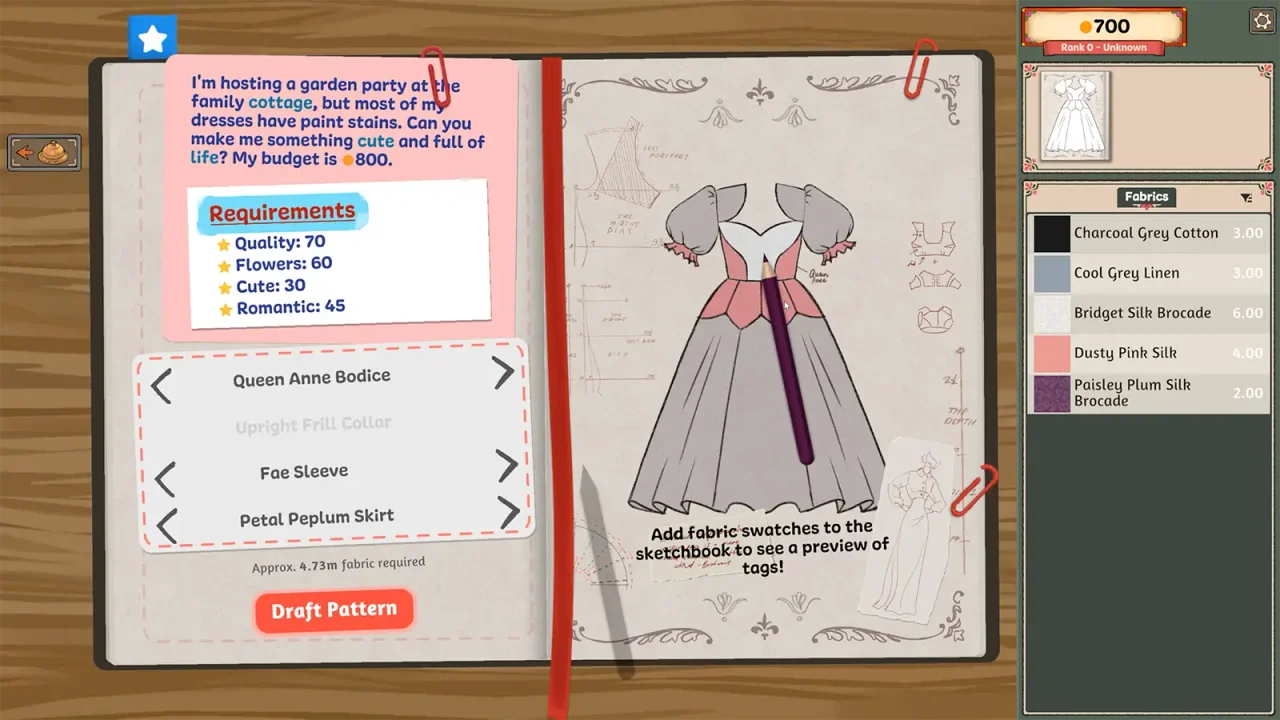
Why a full bar is not a complete checklist
A Steam discussion titled “Filled bars but got rejected anyway?” identifies a useful question: what should you check when the design looks ready but the result disagrees? We checked the topic title; we have not established the cause of that player’s result or confirmed a repair from its replies.
Treat the bar as one part of the brief. Read the requirement name, the direction of the condition and the displayed value together. Do not assume that raising every attribute is always the goal. Our existing Chilly Overtime walkthrough already calls out upper limits as well as positive targets.
Section sources: Community topic · Independent walkthrough
Minimum, maximum or an exact value?
The examples below are ordinary arithmetic, not copied commission values or recommended outfits. Use the wording and numbers in your own game. Select a strict operator only when the rule really excludes the boundary.
| Rule you entered | Example value | Comparison |
|---|---|---|
| At least 40 (≥ 40) | 40 | Matches: the boundary is included. |
| More than 40 (> 40) | 40 | Outside: equality is not enough. |
| At most 20 (≤ 20) | 25 | Outside: the value exceeds the ceiling. |
| Less than 20 (< 20) | 20 | Outside: the boundary is excluded. |
| Exactly 20 (= 20) | 20 | Matches the entered number only. |
Copy the brief before changing the design
A higher score can help a minimum while breaking a maximum. Remove an optional change before discarding the whole design when it is the only reason a ceiling is exceeded. The checker cannot tell which fabric or pattern caused a score; it only compares the entries you provide.
- Name the active commission so you do not borrow a rule from a different request.
- For each numeric condition, copy its label, comparison direction and threshold.
- Enter the current displayed value in the same units as the threshold. Do not mix metres, currency and percentages.
- Record colour restrictions, required materials and accessory conditions separately from numeric style checks.
- Check the actual material percentage shown in the game rather than counting how many panels use that material.
- Compare one design change at a time, then revisit every condition it could affect.
A missing delivery button is a different symptom
If there is no way to hand in the dress, use the construction checklist: account for the cut, fitted and sewn pieces. The existing submission discussion includes different missing-piece reports; it should not be treated as evidence that every rejected design has the same cause.
If you can deliver but the customer rejects the result, preserve a screenshot of the brief and result before rebuilding. Review the constraints first. If an accepted commission does not pay, use the money and payment guide rather than assuming a style problem.
Section sources: Community topic
What the manual checker can and cannot do
It compares a current value with a threshold using the operator you select. Empty entries remain incomplete; they are not silently treated as zero. It distinguishes strict and inclusive boundaries and compares up to four decimal places without rounding a near miss into a match.
The input limit is 0 to 1,000,000 with a decimal point and up to four decimal places. This is a limit of this website tool, not a claim about the game’s score range. Use the same unit on both sides.
No save is read, no game connection is made, and checker entries are not written to browser storage. Reloading clears them. The export button produces a plain-text note on your device.
A set of matching comparisons does not prove that the dress is complete, that you copied every requirement, or that the game uses the same displayed precision. Do not use this tool as a guaranteed recipe, reward forecast or diagnosis of a bug.
When the brief and result still disagree
Keep the commission name, all requirement wording, current displayed values, final result and installed build together. Note the last single change you made. That is more useful to a support conversation than a screenshot of one full-looking bar.
We have not confirmed a new patch that repairs every rejection case. Continue to use the dated patch archive for changes explicitly described by the developers, and avoid deleting or editing a save to test an unconfirmed theory.
Sources & further reading
- Steam discussion — Filled bars but got rejected anyway? (topic title checked) ↗
- Into Indie Games — commission walkthrough by Rabiya Rizwan ↗
- Steam discussion — unable to submit a commission ↗
- Dressmaker on Steam ↗
Guide reviewed . Community tips are not official repair guarantees. Suggest a correction.